Accessing Rooms
Gardner Edgerton School District 231 is making it easier to stay in touch with teachers and class information from that same app. Using the USD 231 app, you can easily switch from district and school information to Rooms, where you can see your student's classes and engage directly with teachers.
Rooms can be accessed via the web and from our district app, which is available for free and can be used from both Apple and Android phones. To create your Guardian account and access Rooms, please follow the steps below.
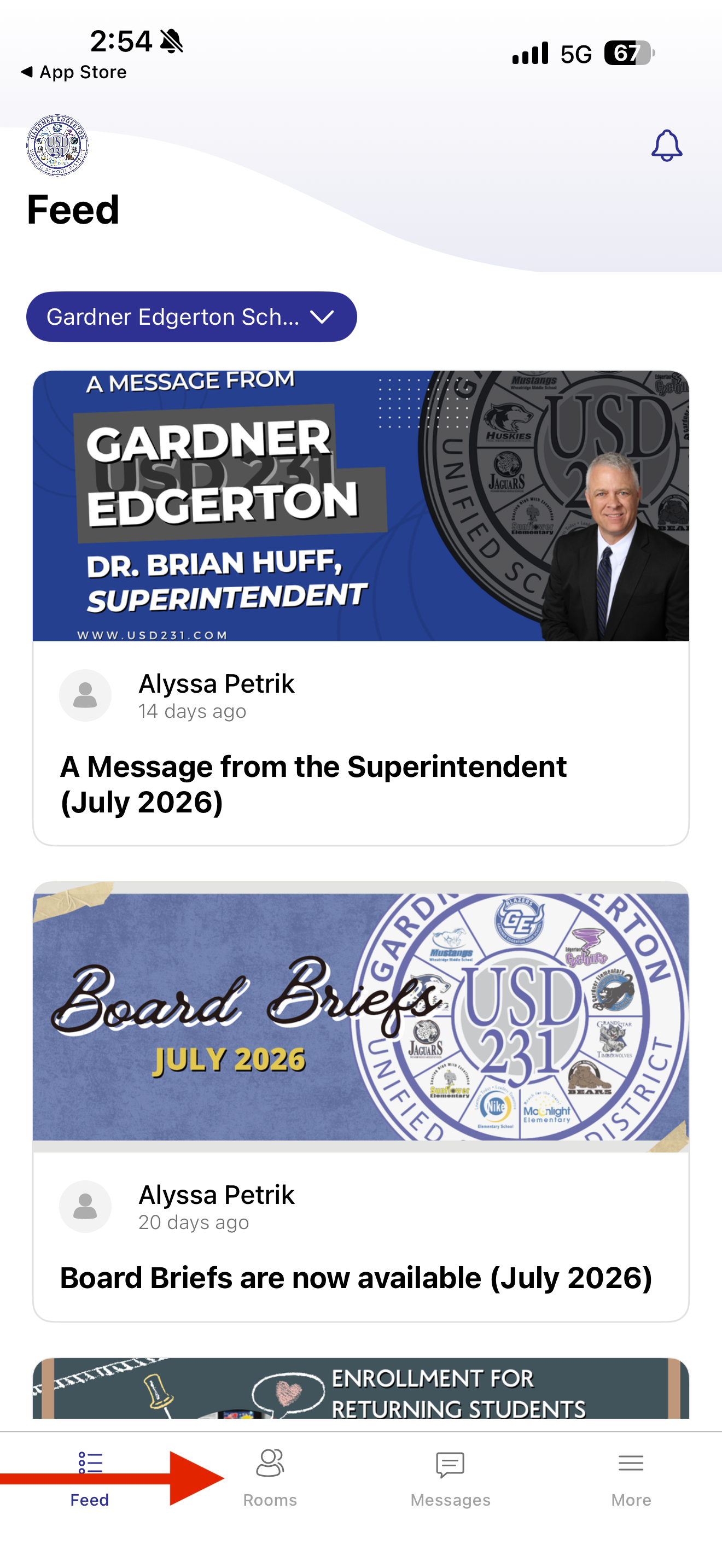
1. From the USD231 app, select “Rooms” along the bottom of your phone screen.
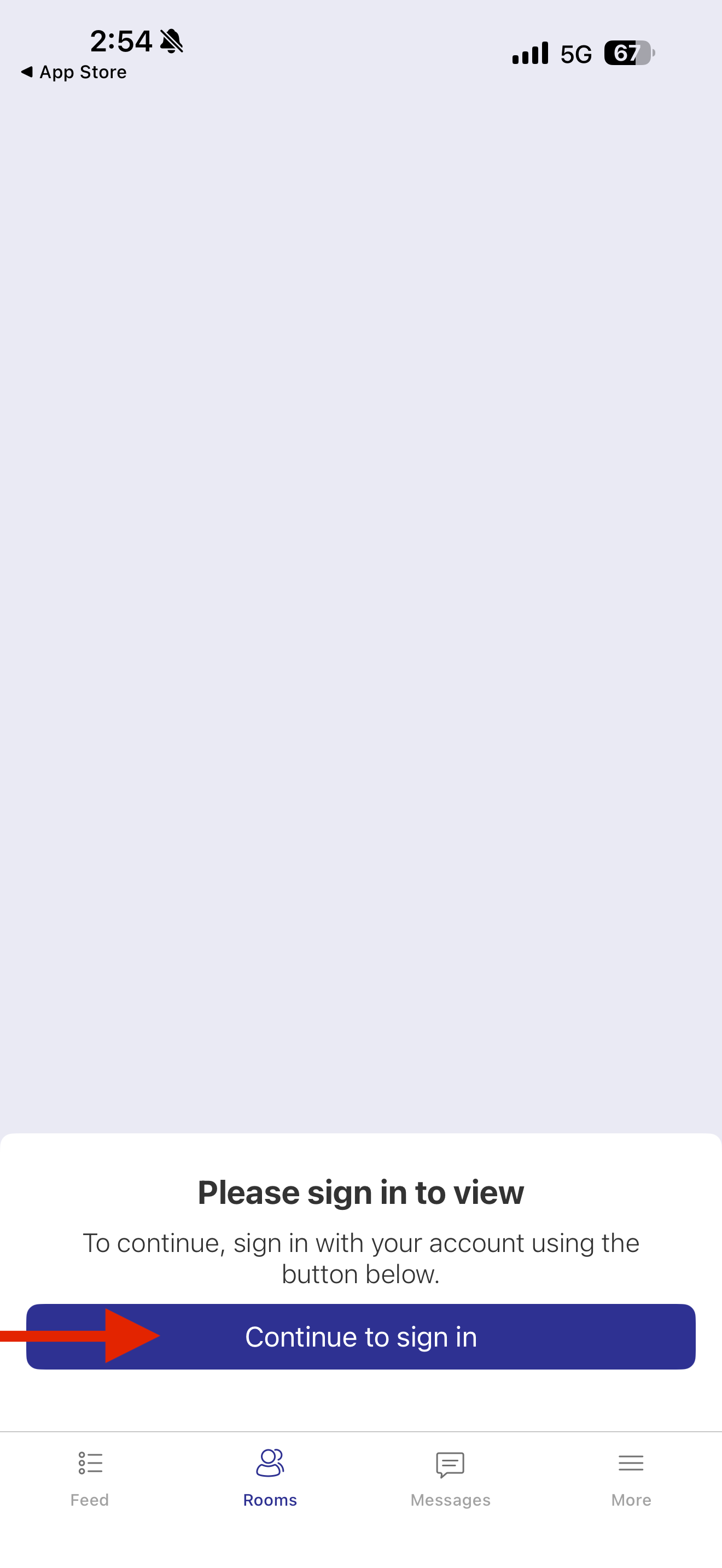
2. Click "Continue to sign in."
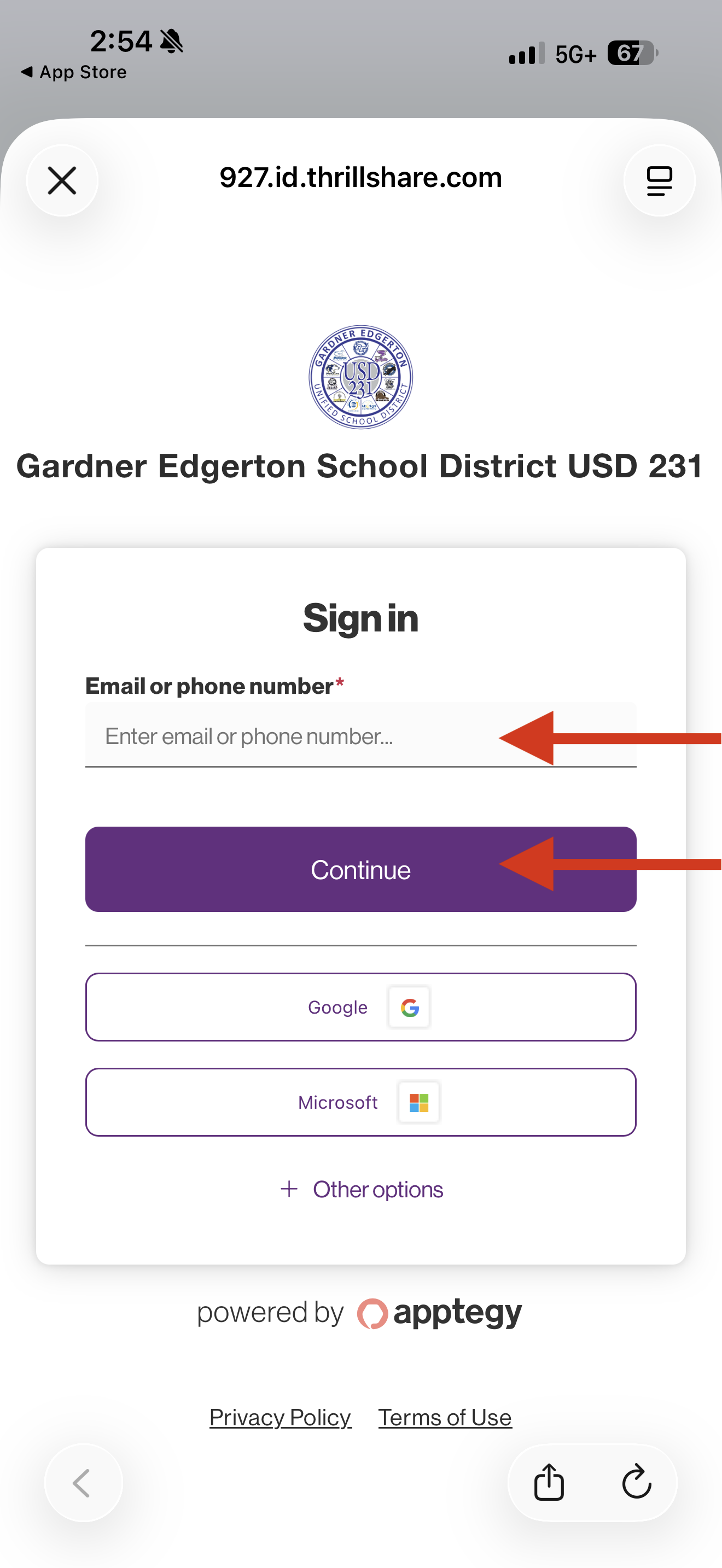
3. Input your cell phone number, select Continue and an authentication code will be texted to you.
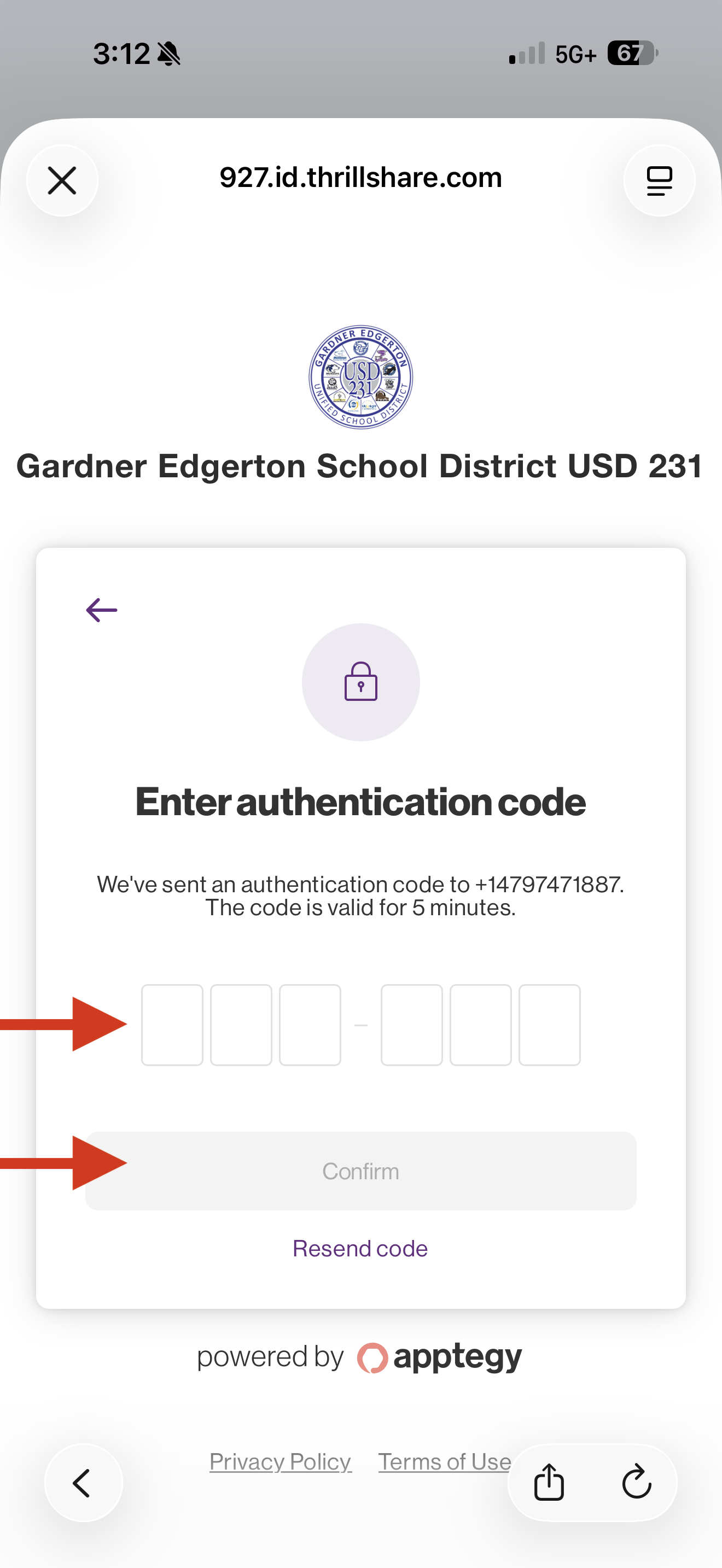
4. Input the 6 digit authentication code you received, then select Confirm to access your Rooms account.